100% LOCAL-FIRST ARCHITECTURE — ZERO REMOTE CLOUD SERVERS

True Financial Privacy
Has No Middleman.

Planosave was engineered from the first line of code with a strict architectural boundary: your transactions, pay cycles, shopping lists, and receipts never touch a remote server. Everything stays encrypted in your Android device's local sandbox.

0

Trackers or Ads

No Google Firebase Analytics, no Facebook SDK, no Adjust, no telemetry.

100%

On-Device Storage

Private SQLite Room database isolated inside Android secure sandboxing.

Zero

Account Required

No email signup, no phone numbers, no passwords to leak.

Client-Side

OCR & AI

On-device ML Kit processing or user-key API calls encrypted in Android Keystore.

The App

Your money, on your device.
No servers in between.

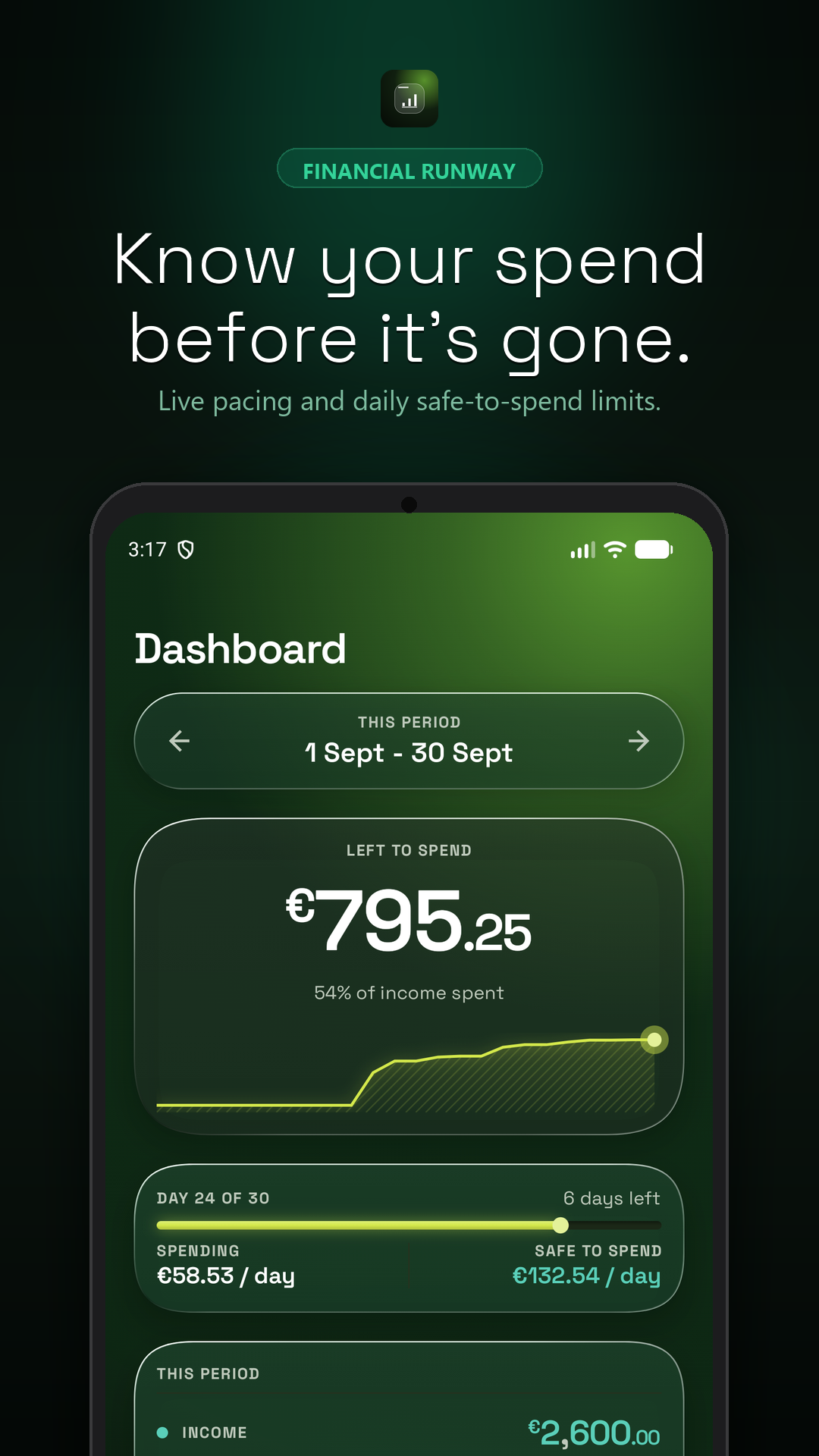
Every screen below is a real Planosave interface. Every number, every transaction, every receipt — stored exclusively in your phone's secure sandbox.

Know your spend before it's gone.

Data Flow Architecture

Traditional Apps vs. Planosave

See exactly where your financial data goes. Toggle between a typical cloud budget app and Planosave's local-first architecture.

User Device

Your Android phone

Android OS Sandbox

App-private, isolated

Local SQLite DB

Room database, on-device

User Backup Export

JSON/CSV, on demand only

ZERO EXTERNAL LEAKS — Data never leaves the device

Full Legal Text

Interactive Policy Explorer

The complete, legally binding privacy policy. Search, navigate, and read every clause with plain-English TL;DR summaries.

1

Scope & Core Architectural Principles

TL;DR

Planosave is a local-first application. Your financial data never leaves your device. There are no servers, no cloud databases, and no intermediary infrastructure between you and your data.

This Privacy Policy governs the use of Planosave, a local-first personal finance and runway budgeting application for Android devices developed by Stankex. Planosave is engineered in accordance with GDPR Article 25 (Privacy by Design and by Default), ensuring that data protection is built into the architecture from the ground up rather than retrofitted through policy language.

The fundamental architectural principle of Planosave is that the application operates entirely on the user's device. There is no Planosave backend server, no cloud database, no analytics pipeline, and no intermediary API gateway through which user financial data transits. Every transaction, budget, pay cycle, receipt, and preference is created, stored, processed, and destroyed within the Android operating system's application sandbox, isolated from other applications and from the network.

Because no data ever transmits to Planosave or any third-party server, the traditional privacy threat model — in which a company server is breached, a database is exfiltrated, or an employee accesses user records — does not apply. There is no server to breach. There is no database to exfiltrate. There is no employee with access. This policy describes what data exists on your device, what permissions the application requests and why, and the limited circumstances under which data may leave the device at your explicit direction.

2

Data Stored Locally on Your Device

TL;DR

All data lives in a private SQLite Room database inside Android's secure sandbox. No data is ever transmitted to any server. Period.

Planosave stores all user data in a local SQLite Room database that resides within the application's private sandbox on the user's Android device. This database is created and managed entirely by the application and is inaccessible to other applications, to the operating system's shared storage, and to any network service. The following categories of data are stored locally:

Transactions

Each financial transaction recorded by the user, including amount, currency, date, category assignment, optional note text, and transaction type (expense, income, or savings). No bank account credentials, no open banking tokens, and no transaction data is ever imported from or synced with a financial institution.

Categories & Budgets

User-defined spending categories (e.g., Rent, Groceries, Investments) with associated color labels, and budget targets set per category or per pay cycle.

Pay Cycle Configuration

Custom income and spending period definitions, including period start date, period length, expected income amount, and safe-to-spend calculation parameters.

Grocery & Shopping Lists

Optional shopping list entries created by the user for budgeting and planning purposes, stored alongside transaction data in the local database.

Receipt Images

Photographic images of paper receipts captured through the in-app camera viewfinder for OCR processing. These images are stored in the application's private internal storage and are never uploaded to any server. The user may delete individual receipt images at any time.

Application Preferences

User-selected settings such as theme preference, notification schedule, currency symbol, and optional Gemini API key (encrypted — see Section 4).

3

Device Permissions & How They Are Used

TL;DR

Planosave requests only three permissions — Camera (for receipt scanning), Notifications (for local pacing alerts), and Storage (for user-initiated backups). No internet permission is used for data transmission.

Planosave requests the minimum set of Android permissions required for its functionality. Each permission is used for a specific, transparent purpose, and no permission is used to transmit data to any remote server.

Camera (android.permission.CAMERA)

Used strictly within the in-app camera viewfinder to capture photographic images of physical paper receipts for OCR (Optical Character Recognition) processing. Receipt images are saved to the application's private internal storage and processed on-device. The camera is never activated without explicit user action (tapping 'Scan a receipt'), and no images are transmitted to any server. If the user does not wish to use receipt scanning, the camera permission is never invoked.

Notifications (android.permission.POST_NOTIFICATIONS)

Used exclusively for optional local pacing alerts — reminders shown at user-configured times to keep spending on track within the current pay cycle. These notifications are generated locally by the application's scheduler and delivered through Android's NotificationManager. No remote push notification server is involved. No notification content is transmitted to or from any server. The user may disable notifications at any time from app settings or Android system settings.

Storage / SAF (Storage Access Framework)

Used only when the user explicitly initiates a 'Export Backup' action from the application settings. The application generates a JSON or CSV file containing the user's transaction history and preferences, and writes it to a user-selected location via the Android Storage Access Framework. No file is written without the user's explicit action and directory selection. Planosave does not read or write to shared storage at any other time.

4

Artificial Intelligence & Receipt Scanning (Gemini & ML Kit)

TL;DR

Receipt OCR defaults to on-device Google ML Kit — zero network calls. If you optionally configure Gemini AI, your API key is hardware-encrypted in Android Keystore and requests go directly from your device to Google. Planosave operates no proxy.

Planosave offers two methods for processing receipt images through Optical Character Recognition (OCR) and optional AI-assisted parsing:

Default: On-Device ML Kit OCR

By default, receipt images are processed using Google ML Kit Text Recognition, which runs entirely on the user's device. The ML Kit models are bundled with the application or downloaded once as an on-device model via Google Play services. No receipt image, no extracted text, and no transaction data is transmitted to any server during this process. This is the default mode and requires no configuration or API key from the user.

Optional: Gemini AI Integration

The user may optionally configure Planosave to use Google Gemini AI for more advanced receipt parsing (e.g., categorization, merchant identification, multi-item extraction). When this feature is enabled, the user provides their own Google Gemini API key, which is encrypted and stored in the Android Keystore — a hardware-backed secure element that protects cryptographic keys from extraction. When a receipt is processed, the receipt image is sent directly from the user's device to the Google Gemini API endpoint over HTTPS. Planosave operates no intermediate proxy server, no relay, and no logging infrastructure. The API request flows directly from the user's device to Google's servers. Planosave has no visibility into, access to, or storage of the API request or response.

User Control & Transparency

The Gemini AI integration is strictly opt-in. It is disabled by default. The user may enable or disable it at any time from application settings. When disabled, all receipt processing reverts to on-device ML Kit. The user's Gemini API key is never logged, never transmitted to Planosave, and is permanently deleted from the Keystore when the feature is disabled or when the application is uninstalled.

5

Third-Party Analytics, Advertising & Cookies

TL;DR

Zero third-party tracking libraries. Zero ad networks. Zero commercial data sharing. No Firebase Analytics, no Facebook SDK, no Adjust, no telemetry of any kind.

Planosave contains no third-party analytics SDKs, no advertising SDKs, no attribution tracking SDKs, and no telemetry libraries. This is a deliberate architectural decision, not a configuration choice.

Specifically, Planosave does not include or use any of the following: Google Firebase Analytics, Google Analytics for Firebase, Facebook SDK (including App Events), Adjust, Amplitude, Mixpanel, Segment, AppsFlyer, Branch, Unity Ads, Google AdMob, IronSource, or any other analytics, advertising, attribution, or tracking library.

The application does not set, read, or transmit any tracking cookies, advertising identifiers (including Google Advertising ID), device fingerprints, or analytics events. The application does not collect, aggregate, or share any data for market research, audience profiling, retargeting, or commercial data brokering purposes.

Because Planosave has no servers and no backend, there is no server-side analytics, no server-side logging of user behavior, and no server-side data aggregation. The application's network usage is limited to: (a) the optional Gemini AI API calls described in Section 4, which are initiated by the user and flow directly to Google, and (b) the standard Google Play infrastructure for app updates, which is managed by the Android operating system and does not transmit user financial data.

6

Backup, Portability & Cloud Sync

TL;DR

All backups are client-side JSON/CSV files created by you, on demand. You have 100% data custody. There is no cloud sync — ever.

Planosave does not operate any cloud synchronization service. There is no automatic cloud backup, no cross-device sync, and no remote data replication. All backups are user-initiated, client-side exports.

To create a backup, the user navigates to Settings > Export Backup and selects a destination via the Android Storage Access Framework. The application serializes all user data — transactions, categories, budgets, pay cycle configuration, and preferences — into a structured JSON or CSV file and writes it to the user-selected location. The backup file is a complete, self-contained representation of the user's data and can be imported back into Planosave on any device.

The user retains full custody of their backup files. Planosave does not upload, store, or have access to any backup file. The user is responsible for storing backup files in a location of their choosing (e.g., local storage, cloud drive, external storage). Because the backup file is a standard JSON or CSV format, it can be opened, inspected, and processed by any compatible application.

To restore from a backup, the user navigates to Settings > Import Backup and selects a previously exported file. The application reads the file from the user-selected location and populates the local database. No network request is made during backup or restore.

7

User Rights (GDPR & CCPA/CPRA)

TL;DR

Your rights are built into the architecture: instant local export, one-tap data wipe, and full in-app editing. No support ticket needed.

Because Planosave stores all data locally on the user's device, the exercise of data protection rights is immediate and does not require contacting Planosave or submitting a formal request. The following rights are implemented as in-app functionality:

Right to Access (GDPR Article 15, CCPA § 1798.110)

The user may access all of their data at any time by exporting a complete backup (Settings > Export Backup). The exported JSON or CSV file contains every transaction, category, budget, pay cycle, receipt reference, and preference stored by the application. No request to Planosave is required.

Right to Erasure / Deletion (GDPR Article 17, CCPA § 1798.105)

The user may permanently delete all data by tapping 'Wipe All Data' in application settings. This action immediately deletes the local SQLite Room database, all receipt images from private storage, all preferences, and the encrypted Gemini API key from the Android Keystore. The deletion is irreversible and immediate. Because no data exists on any server, no server-side deletion is needed — the data is truly gone the moment the user taps the button.

Right to Rectification (GDPR Article 16)

The user may edit, correct, or modify any record at any time through the application's standard interface. Every transaction, category, budget, pay cycle, and preference is fully editable. No request or support ticket is required.

Right to Data Portability (GDPR Article 20)

The export backup feature (Settings > Export Backup) produces a structured, machine-readable JSON or CSV file that can be imported into other applications. This satisfies the portability requirement without requiring any intermediary.

Right to Object (GDPR Article 21)

Because Planosave does not process user data for profiling, automated decision-making, or any purpose beyond the user's own financial management on their own device, the right to object is satisfied by default. There is no processing to object to.

8

Children's Privacy

TL;DR

Planosave does not collect identifiable personal data from anyone — including children under 13. COPPA-compliant by architecture.

Planosave does not collect personal information from users of any age. The application does not require an account, email address, phone number, or any personally identifiable information to function. Because no data is transmitted to any server, Planosave has no mechanism through which it could collect, store, or process personal data from children.

The application is therefore compliant with the Children's Online Privacy Protection Act (COPPA) by architecture. COPPA requires operators of online services directed to children under 13 to obtain verifiable parental consent before collecting personal information. Because Planosave does not collect personal information from any user — adult or child — the consent requirement does not apply.

Planosave does not knowingly collect any information from children under 13. If a parent or guardian believes that their child has provided information to Planosave through some mechanism, they should be aware that Planosave has no servers, no databases, and no mechanism to receive or store such information. All data entered into the application remains on the user's device and can be deleted at any time via 'Wipe All Data' in Settings.

9

Policy Updates & Contact Information

TL;DR

Version 2.4.0 — Last updated September 2026. Security vulnerability disclosure channel below.

This Privacy Policy is versioned and tracked. The current version and last-updated date are displayed in the application settings and on this page. Material changes to the policy will be accompanied by an in-app notification on the next application launch following the update.

Because Planosave is a local-first application with no backend, policy changes do not affect previously stored user data. The policy describes how the application handles data on the user's device; updates to the policy reflect changes in application functionality, not changes in data handling practices on remote servers (there are none).

Security Vulnerability Disclosure

Planosave, a product of Stankex, welcomes security research and responsible disclosure. If you have identified a potential security vulnerability, please report it to sharelert@gmail.com with a detailed description and reproduction steps. We commit to acknowledging receipt within 48 hours and providing a substantive response within 5 business days. Please do not disclose vulnerabilities publicly until a fix has been released.

General Contact

For questions about this Privacy Policy or Planosave's data practices, contact sharelert@gmail.com. Note that because Planosave, a product of Stankex, does not operate servers or collect user data, most privacy questions can be resolved by reviewing this policy or by using the in-app 'Wipe All Data' feature.

Your Rights

Your Rights Are Built In.
No Ticket Required.

GDPR and CCPA/CPRA rights aren't promises — they're buttons. Because your data lives on your device, exercising your rights is immediate.

Right to Access

GDPR Art. 15 · CCPA § 1798.110

Export every transaction, category, budget, and preference as a structured JSON or CSV file — instantly, from Settings > Export Backup.

Settings → Export Backup

Right to Erasure

GDPR Art. 17 · CCPA § 1798.105

One tap. The entire SQLite database, all receipt images, and the encrypted API key are permanently shredded from your device. No server-side request needed.

Settings → Wipe All Data

Right to Rectification

GDPR Art. 16

Every record — every transaction, budget, and preference — is fully editable in the app's standard interface. No support ticket, no waiting period.

Edit any record, anytime

Right to Data Portability

GDPR Article 20

Export your complete financial history as a structured, machine-readable JSON or CSV file. Import it into Planosave on any device, or process it with any tool you choose. No intermediary, no data broker, no lock-in. Your data is your data — in a format you can actually use.

// planosave-backup.json
{
"version": "2.4.0",
"transactions": [
{ amount: -42.50, category: "Eating out" }
],
"exported_at": "2026-09-24T15:25Z"
}

Privacy Simulator

Verify It Yourself

Run a simulated network inspection on Planosave. Watch every telemetry endpoint return blocked or null — because the SDKs simply don't exist.

planosave-network-inspector

Click "Run Inspection" to simulate a network traffic analysis.

See exactly what Planosave sends over the network.

This is a simulated network log. Real inspection requires a tool like mitmproxy or Charles Proxy. The results would be identical: zero outbound traffic.

Security & Vulnerability Disclosure

Security & FAQ

Straight answers about how Planosave protects your data — and how to report issues if you find them.

No server. No breach surface. No data to steal.